Every session in one window
Run multiple Claude Code sessions at once, in as many projects as you like, and see what each one is doing without switching terminals.

Every Claude Code session, in one window.
Run multiple Claude Code sessions at once across all your projects, get told when one needs you, and answer from one place. Codex and Grok too.
Get AigoPilot Available for Windows 10 & 11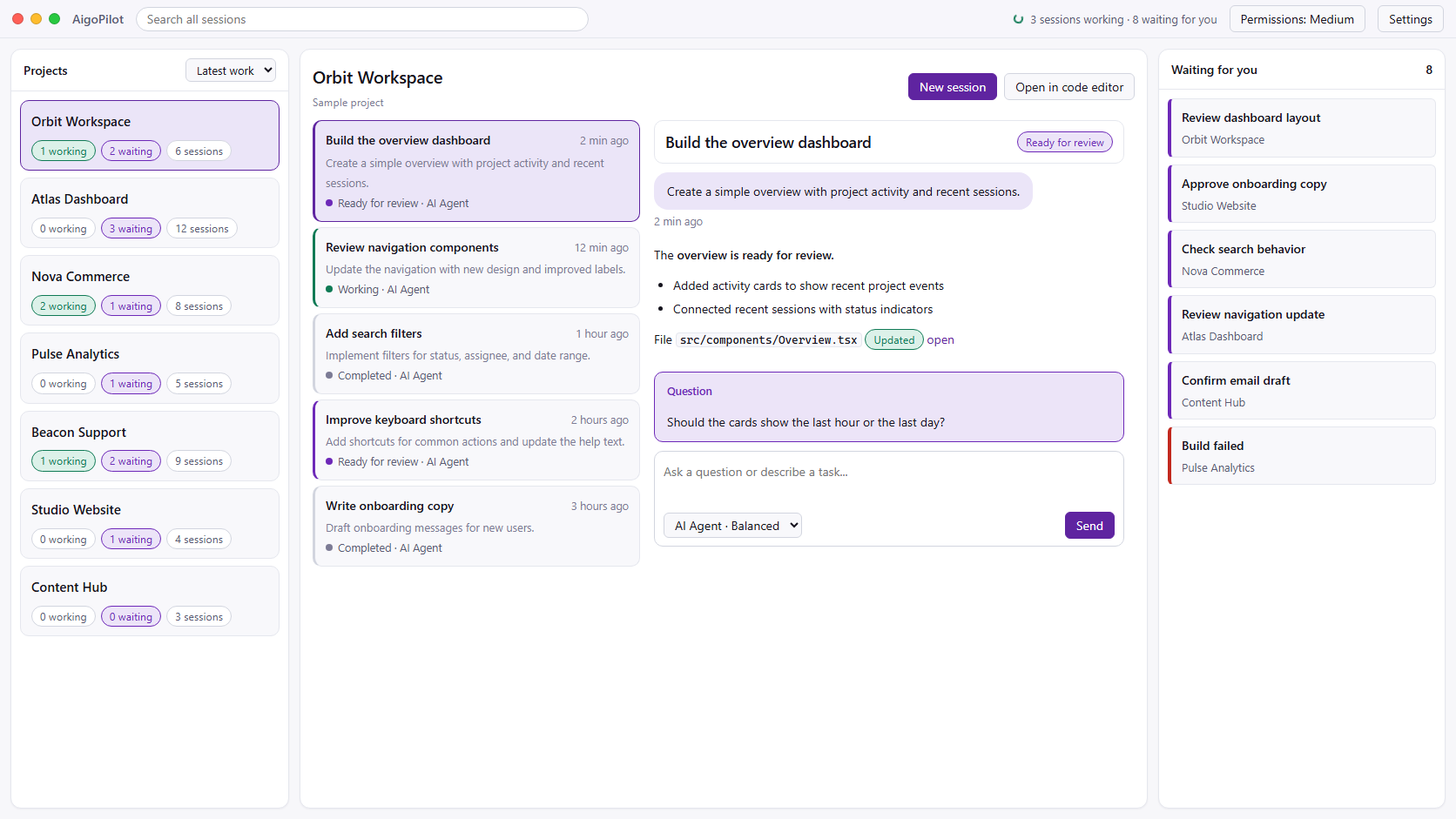
 Claude Code
 Codex
Codex GrokYour subscriptions. Your machine. Your control.
The same Claude Code you run in a terminal, with every session of every project in view.
Run multiple Claude Code sessions at once, in as many projects as you like, and see what each one is doing without switching terminals.
A Windows notification when a session finishes, stops midway, or waits for your answer or permission. You choose which notices each project gets.
Reply to a question or approve the next step in the same window, without hunting for the terminal it came from.
A task list shows what is done, what is happening now and what is left. Code and file changes stay out of the way until you ask.
A long session writes its own handover report, and a new linked session picks up from it without a long prompt typed by hand.
Your sessions keep running when the window is closed. Open it again and everything is where you left it.
AigoPilot does not replace Claude Code. It runs it.
AigoPilot starts Anthropic's official Claude Code CLI on your PC, with your own Pro, Max, Team or Enterprise plan. Your CLAUDE.md files, settings, hooks and MCP servers work as they always do, because it is the same program.
AigoPilot never reads or reuses your Claude Code sign-in. The CLI keeps its own login. If Claude Code is not installed yet, AigoPilot can install it with Anthropic's own installer when you say yes, and open Claude Code's own sign-in.
You can still open any project in your editor or a terminal whenever you want. The sessions you start there show up in AigoPilot too.
Installing by hand instead? Our guide covers Claude Code on Windows, step by step, with the common errors and their fixes.
Anthropic's own app is a good choice. Here is when each one fits.
| Claude desktop app, Code tab | AigoPilot | |
|---|---|---|
| Price | Included with a paid Claude plan | 49 USD a year or 99 USD once, plus your Claude plan |
| Agents | Claude Code | Claude Code, Codex and Grok |
| Several sessions | Yes, in a sidebar, two side by side | Yes, every session of every project |
| Notifications | When a session finishes and you are not looking at it | When a session finishes, stops, or waits for an answer or permission, per project |
| After the build | No | Social posts, email, ads, leads, Stripe sales and a support inbox |
If you only use Claude Code on one or two projects, the official app may be all you need. If you run several agents across several products, and then have to sell them, AigoPilot is built for that. For every option we know of, see the best Claude Code GUIs for Windows.
No. AigoPilot is independent software by Doment Digital FZE LLC. It runs Anthropic's official Claude Code CLI on your PC with your own Claude plan, and it is not affiliated with Anthropic.
Yes, AigoPilot works through the official Claude Code CLI. If it is not on your PC yet, AigoPilot can install it with Anthropic's own installer when you say yes, and open Claude Code's own sign-in.
Yes. Every session of every project sits in one window, with what each one is doing. You see which one is working, which one finished and which one is waiting for your answer or permission.
Anthropic's desktop app has a Code tab for Claude Code and is included with a paid Claude plan. AigoPilot is a paid Windows app that also runs Codex and Grok, watches sessions across all your projects, and adds marketing, sales and support for what you build.
No. AigoPilot never reads or reuses your Claude Code sign-in. The CLI keeps its own login, and AigoPilot only starts the official tool and reads the session files it writes.
