Several agents, one window
Run multiple Claude Code and Codex sessions at once, with Grok too, and see which one is working, finished or waiting for you.

Your Codex sessions, next to everything else.
Run Codex next to Claude Code and Grok on Windows 10 and 11. Every session of every project in one window, and a notification when one needs you.
Get AigoPilot Available for Windows 10 & 11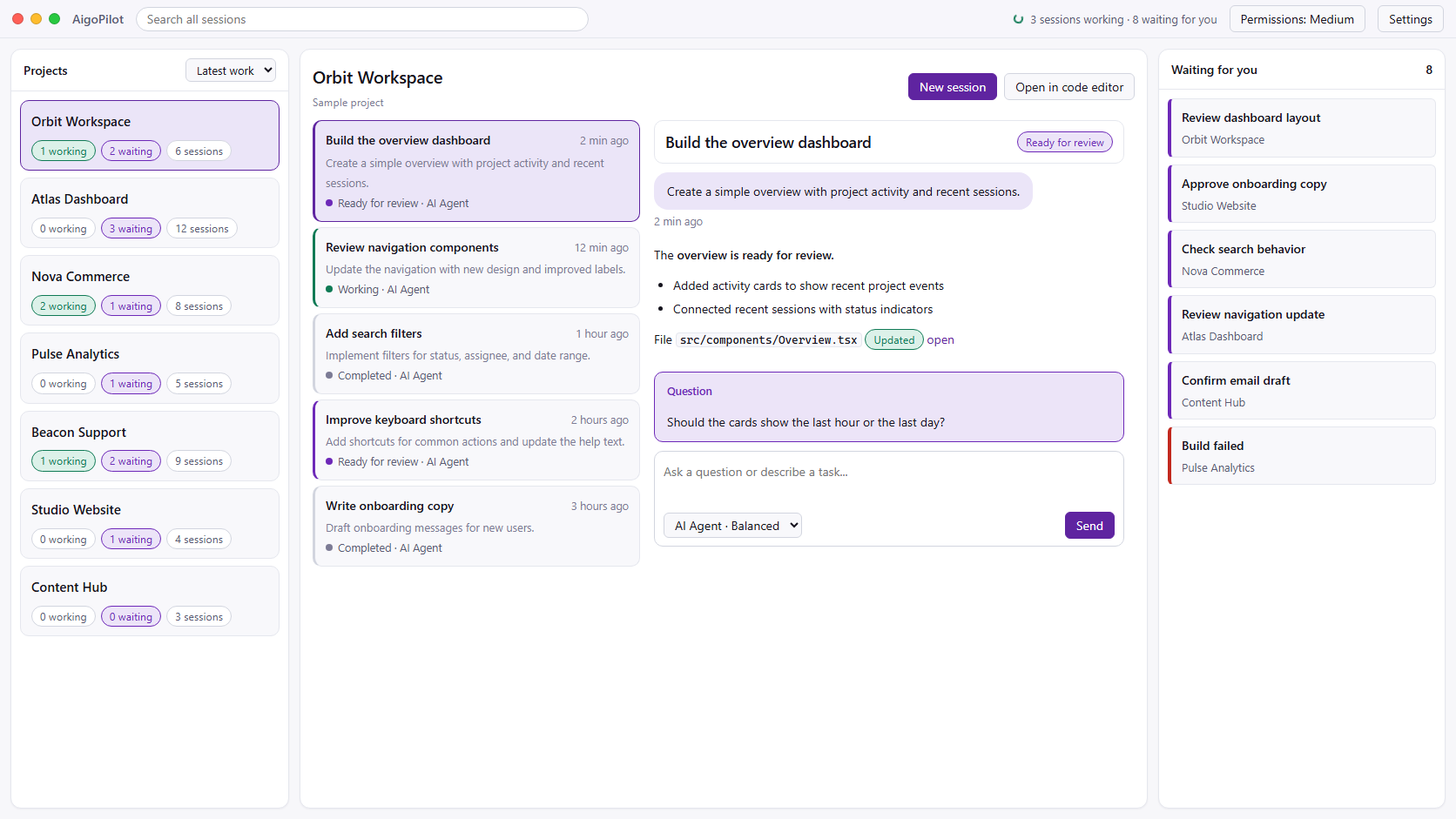
 Claude Code
 Codex
Codex GrokYour subscriptions. Your machine. Your control.
What OpenAI ships for Windows, as of October 2026.
Codex no longer needs WSL on Windows. OpenAI's CLI runs in PowerShell, and the commands it runs go through a Windows sandbox that keeps the agent inside your working folder and off the network unless you approve. OpenAI recommends Windows 11 and supports Windows 10 version 1809 or later on a best-effort basis.
The CLI installs with one line in PowerShell:
powershell -ExecutionPolicy ByPass -c "irm https://chatgpt.com/codex/install.ps1 | iex"OpenAI also ships a desktop app for Windows, where you switch between ChatGPT and Codex, and a VS Code extension. Codex is included in ChatGPT Plus at 20 US dollars a month and in the higher plans, or it can run on an API key.
If you only use Codex, on one project at a time, OpenAI's own app may be all you need. AigoPilot is for the moment that stops being true.
Your Codex sessions in the same window as Claude Code and Grok, across every project.
Run multiple Claude Code and Codex sessions at once, with Grok too, and see which one is working, finished or waiting for you.
A Windows notification when a session finishes, stops midway, or waits for your answer or permission, chosen per project.
Reply and approve the next step without opening each project's terminal. The sessions you start elsewhere show up too.
AigoPilot starts OpenAI's own Codex CLI with your ChatGPT plan or API key. It never reads or reuses your sign-in.
Sessions, email and sales data are kept on your PC. No AigoPilot cloud account is needed to see your work.
The same project card holds social posts, email campaigns, ads, leads, Stripe sales and a support inbox for what you built.
Codex and Claude Code make different mistakes, which is why many people keep both: one builds, the other reviews. Codex reads AGENTS.md, and Claude Code can read it too, so one file of project rules serves both agents.
The cost of running two agents is attention: two terminals to watch, and a session waiting for your permission looks exactly like one still working. AigoPilot puts both in one window and tells you which one needs you.
Choosing between them? Read Codex vs Claude Code, our comparison of the two on Windows.
Yes. OpenAI's Codex CLI runs in PowerShell and runs its commands inside a Windows sandbox. OpenAI recommends Windows 11 and supports Windows 10 version 1809 or later on a best-effort basis.
No. WSL 2 is optional. Codex runs natively on Windows with its own sandbox.
No. If you only use Codex, OpenAI's own app may be all you need. AigoPilot is for running Codex next to Claude Code and Grok across many projects, and for the business work that comes after the build.
Your own. AigoPilot starts OpenAI's official Codex CLI, which uses your ChatGPT plan or API key. AigoPilot never reads or reuses that sign-in.
