
Every alternative,
side by side.
What none of the others does, then every cell side by side.
The sessions you already have, what waits for you, limits by project, work that goes on after an error, other computers and the business side, then platforms, phone, worktrees and price. Each cell links to the page it came from.
Get AigoPilot Available for Windows 10 & 11, macOS 13.3+ and Linux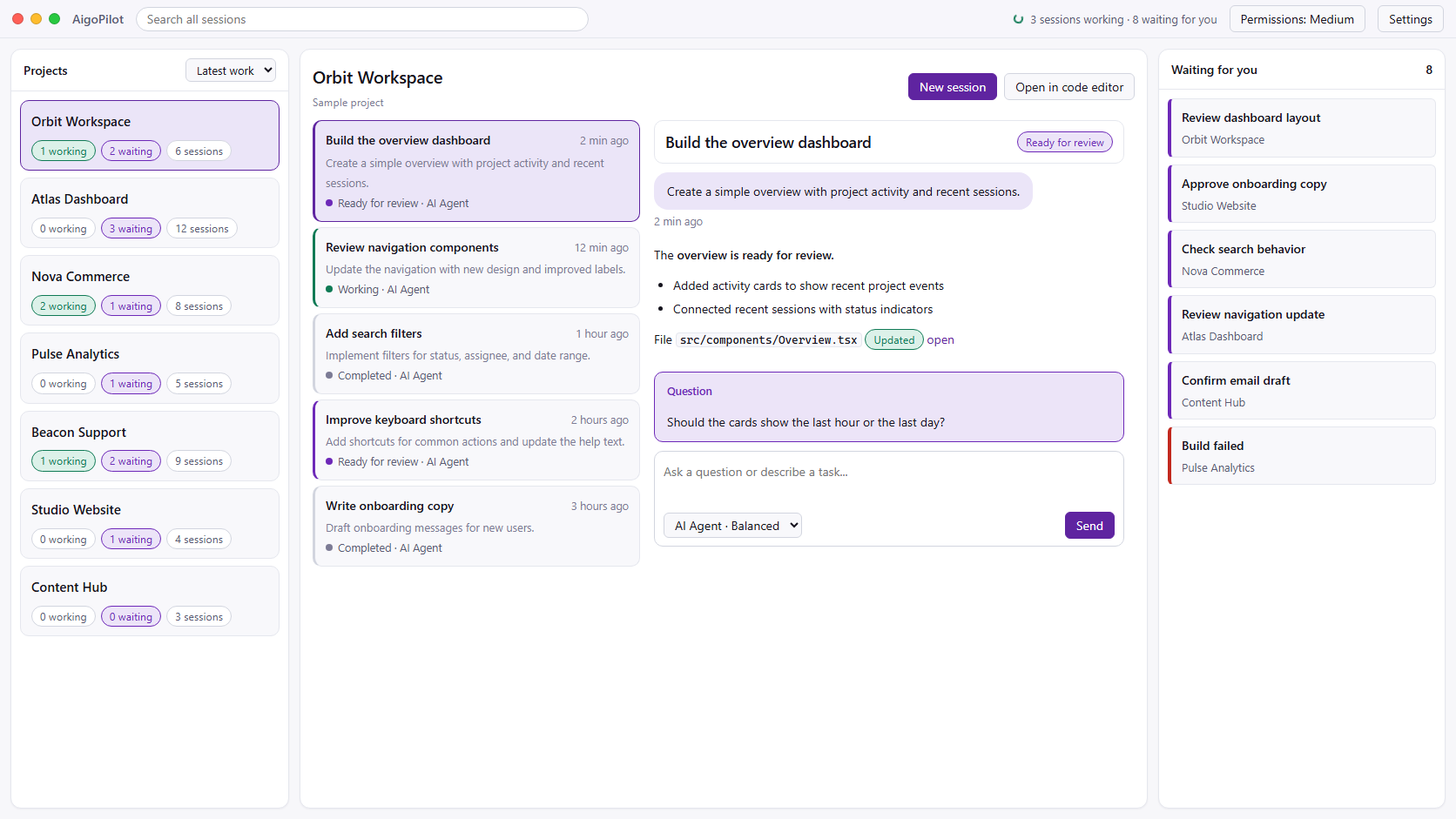
 Claude Code
 Codex
Codex GrokYour subscriptions. Your machine. Your control.
What none of
the others does.
Each line below is a row of the table further down, where every rival's cell links to its own site, docs, README or changelog, read on 27 October 2026.
- The sessions you already have. Claude Code and Codex sessions you started in VS Code or a terminal are found on disk and listed with their conversations, and any of them can be continued from the studio.
- Everything that waits for you, across every project. One column holds the questions, permission requests and finished work of all your projects.
- Which project used your limits. The percent of each limit sits in the title bar, and each project's share of the week is one click away.
- Work that does not stop at the first error. When a turn of Claude Code, Codex or Grok stops on a model at capacity, a dropped connection or a usage limit, the session goes on by itself after a pause, up to a cap you set.
- A project, with its history, on another computer. Files are checked one by one, and the Claude Code and Codex conversations go with them.
- Requests you can read. Beside every permission request, a plain explanation: what it deletes, who wrote that file and when, whether it reaches outside the project or the network. The same cards for Claude Code, Codex and Grok.
- Grok next to Claude Code and Codex, each through its own official CLI and your own account.
- The business side of what you build. Each project's mailboxes with AI drafts you approve, every Stripe sale told the moment it happens, and plugins for keywords, social posts and your site's chat.
What AigoPilot does not do: no worktree per session, no pull request buttons and no cloud. Your sessions run on your own computers, so one of them has to be on.
The main features,
tool by tool.
The small numbers lead to each cell's source. "Not in its docs" means the tool's own pages say nothing about it, which is not the same as "No".
| AigoPilot | Claude Code desktop app | Conductor | Claude Squad | Vibe Kanban (community) | |
|---|---|---|---|---|---|
| Sessions you started in VS Code or a terminal | Found on disk by itself and listed with their conversations; any of them can be continued. 1, 2 | /resume lists sessions started from the CLI on the same computer, and /desktop moves one into the app. VS Code sessions are not mentioned. 3 | Not in its docs. 4 | Not in its README. 5 | Not in its docs. 6 |
| What waits for you, across projects | One column of every project's questions, permissions and finished work, and sessions ordered working first, then waiting. 2, 1 | A sidebar of sessions you can group and sort; a project starts and tracks its own sessions. 3 | An overview of what each agent is working on. 7 | A list of instances in one terminal window. 5 | A kanban board of tasks. 6 |
| Usage limits, and which project used them | Percent of each limit in the title bar, and each project's share of the week. 8 | A usage ring with the plan's usage for the period. 3 | Not in its docs. 4 | Not in its README. 5 | Not in its docs. 6 |
| Going on after an error or a usage limit | The session is continued by itself after a growing pause, for Claude Code, Codex and Grok, up to a cap you set. 1 | Claude Code retries a failed request up to 10 times. Waiting out a usage limit needs an environment variable meant for unattended runs. 9 | Not in its docs. 4 | Not in its README. 5 | Not in its docs. 6 |
| Moving a project, with its history, to another computer | Yes. Every file is checked by hash, and the Claude Code and Codex conversations go with it. 10 | No such feature in its docs. A session can continue in the cloud, with the conversation carried as a summary. 11 | Not in its docs. 4 | Not in its README. 5 | Not in its docs. 6 |
| Email, sales and marketing of what you build | Mailboxes per project with AI drafts you approve, and plugins: Stripe Sales, Social Studio, SearchPlan, Chat Agent, Bing Webmaster Tools. 12, 1 | Not its job. It has connectors, plugins and skills for any extension. 3 | Not on its site: it runs agents and merges their work. 7 | Not its job: it manages agents in a terminal. 5 | Not its job: a board for coding tasks. 6 |
| Approving what an agent does | Four modes and thirteen groups of actions, with a plain explanation beside every request. The same cards for Claude Code, Codex and Grok. 13, 1 | Five modes, among them Auto, where a classifier checks actions before they run. 3 | A plan mode. How commands are approved is not in its docs. 14 | An experimental flag that accepts every prompt by itself. 5 | Agent profiles with a permission level and a planning mode. 15 |
| Sessions on your other computers | Agents on Windows, Mac and Linux, paired with six digits and reached at home or through a relay that cannot read the traffic. 16 | SSH hosts (Linux, macOS, and Windows with OpenSSH Server) and WSL. 3 | No. Its cloud FAQ says a self-hosted offering is being built. 17 | Not in its README. 5 | The README documents a remote deployment over SSH. 18 |
| Windows | Yes, Windows 10 and 11. 19 | Yes, x64 and ARM64. 3 | No. Its docs say it is not available for Windows or Linux yet. 20 | Windows builds ship, but an open issue reports they fail when a session starts. People use WSL. 21, 22 | Started with npx. Its docs name no supported systems. 18 |
| Linux | Yes, x86_64 as an AppImage or a .deb. A server without a desktop runs as an agent. 19 | Beta, for Ubuntu and Debian. 3 | No. 20 | Yes, x86_64 and ARM64 builds. 21 | Started with npx. Its docs name no supported systems. 18 |
| Mac | Yes, Apple silicon with macOS 13.3 or newer. 19 | Yes, Intel and Apple silicon. 3 | Yes. The only system it runs on. 20 | Yes, Intel and Apple silicon builds. 21 | Started with npx; the README builds it from source on macOS. 18 |
| Coding agents | Claude Code, Codex and Grok, each through its own CLI and your own account. 1 | Claude Code only. 3 | Claude Code, Codex, Cursor and OpenCode. Grok as a model through Cursor. 23, 24 | Claude Code, Codex, Gemini, Aider and other local agents. 5 | More than ten, among them Claude Code, Codex, Gemini CLI, Copilot, Cursor and OpenCode. 25 |
| Notifications | On the desktop when a session finishes or needs you, chosen per project. 1 | An OS notification when a session finishes and you are not looking at it. 3 | Its changelog mentions notifications; its docs have no page about them. 26, 4 | Not in its README. 5 | Sound effects and browser push notifications. 27 |
| From a phone | An iPhone app, now in Apple's review and not on the App Store yet. It will be included in every plan. 1 | The Claude app for iOS and Android: cloud sessions, Remote Control of a session on your computer, Dispatch. 28 | An iOS app on the Pro plan. Since 0.92.0 it can also drive local workspaces on your Mac (an experimental setting). 29, 26, 30 | Not in its README. 5 | Its docs describe reaching your computer from a phone's browser through cloud.vibekanban.com. 31 |
| Reviewing changes, pull requests | What each session changed, file by file and line by line. No commit or pull request buttons. 32 | A diff viewer with line comments, pull requests, CI status and auto-merge. 3 | A diff viewer with line comments, pull requests, checks and merge. 33 | A diff tab, and commit and push of a branch. 5 | Diff review with inline comments sent back to the agent; pull requests, merge and rebase. 34, 35 |
| A git worktree per session | No. Sessions work in the project's folder; a project's own worktrees count as the project. 32, 1 | Optional, off by default. 3 | Yes, one for every workspace. 36 | Yes, one for every session. 5 | A workspace for every task. 37 |
| Work that goes on with your computer off | No, by design. Sessions run on your own computers, so one must stay on. 32 | Cloud sessions on Anthropic's infrastructure; they need the repository on GitHub. 3, 11 | On Pro: sandboxes in the US (us-east-1). A sandbox stops after 23 hours 50 minutes and sleeps after 20 idle minutes. 17, 38 | No. It is a terminal app on your computer. 5 | No. The server features ended 30 days after the shutdown. 39 |
| Price | 49 USD a year, less than one month of Conductor Pro, or 99 USD once. Your own Claude, ChatGPT or xAI plan on top. 40 | Included with a paid Claude plan. Pro is 17 USD a month billed yearly, or 20 USD monthly. 41 | Free on your Mac. Pro, with the cloud and the iOS app, 50 USD a month. 29 | Free, open source (AGPL 3.0). 5 | Free, open source (Apache 2.0). Its company shut down in April 2026. 18, 39 |
- AigoPilot release notes: github.com/aigopilot/aigopilot/blob/main/docs/release-notes.md
- AigoPilot features: sessions: aigopilot.com/features/sessions
- Claude Code desktop docs: code.claude.com/docs/en/desktop
- Conductor docs: conductor.build/docs
- Claude Squad README: github.com/smtg-ai/claude-squad
- Vibe Kanban docs: vibekanban.com/docs
- Conductor home page: conductor.build/
- AigoPilot features: usage: aigopilot.com/features/usage
- Claude Code errors and automatic retries: code.claude.com/docs/en/errors
- AigoPilot features: moving a project: aigopilot.com/features/move-projects
- Claude Code in the cloud: code.claude.com/docs/en/claude-code-on-the-web
- AigoPilot Marketplace: aigopilot.com/marketplace
- AigoPilot features: permissions: aigopilot.com/features/permissions
- Conductor agent modes: conductor.build/docs/concepts/agent-modes
- Vibe Kanban agent profiles: vibekanban.com/docs/settings/agent-configurations
- AigoPilot features: other computers: aigopilot.com/features/remote-computers
- Conductor Cloud FAQ: conductor.build/docs/cloud/faq
- Vibe Kanban README: github.com/BloopAI/vibe-kanban
- AigoPilot platforms and availability: github.com/aigopilot/aigopilot/blob/main/docs/platforms-and-availability.md
- Conductor installation: conductor.build/docs/installation
- Claude Squad release 1.0.20: github.com/smtg-ai/claude-squad/releases/tag/v1.0.20
- Claude Squad issue 275 (Windows): github.com/smtg-ai/claude-squad/issues/275
- Conductor supported agents: conductor.build/docs/reference/harnesses
- Conductor changelog 0.87.1: conductor.build/changelog/0.87.1-grok-4-7
- Vibe Kanban supported agents: vibekanban.com/docs/supported-coding-agents
- Conductor changelog 0.90.0: conductor.build/changelog/0.90.0-conductor-for-ios
- Vibe Kanban general settings: vibekanban.com/docs/settings/general
- Claude Code on mobile: code.claude.com/docs/en/mobile
- Conductor pricing: conductor.build/pricing
- Conductor changelog 0.92.0: conductor.build/changelog/0.92.0-remote-control
- Vibe Kanban remote access: vibekanban.com/docs/remote-access
- AigoPilot vs the Claude Code desktop app: where the official app leads: aigopilot.com/claude-code-desktop-app#official-only
- Conductor diff viewer: conductor.build/docs/reference/diff-viewer
- Vibe Kanban reviewing code: vibekanban.com/docs/reviewing-code
- Vibe Kanban git operations: vibekanban.com/docs/workspaces/git-operations
- Conductor workspaces and branches: conductor.build/docs/concepts/workspaces-and-branches
- Vibe Kanban workspaces: vibekanban.com/docs/workspaces
- Conductor cloud workspaces: conductor.build/docs/cloud/working-with-cloud-workspaces
- Vibe Kanban shutdown notice: vibekanban.com/blog/shutdown
- AigoPilot pricing: aigopilot.com/#pricing
- Claude pricing: claude.com/pricing
Claude Code's own retries of a failed request work in every app that runs Claude Code, AigoPilot included. On every tool here you bring your own Claude, ChatGPT or other subscription. If a cell is out of date, tell us at [email protected] and we will read the source again.
Each column has a page of its own with more detail: the Claude Code desktop app, Conductor, Claude Squad and Vibe Kanban.
When a free tool
is enough.
One agent, one repository, and you merge through pull requests: a free tool does that, and the Claude Code desktop app already comes with a paid Claude plan.
The day spreads out differently for most people who build with agents. Several projects are open, some sessions started in VS Code and some in a terminal, Codex is used when Claude's week runs out, a job runs overnight on a second computer, and the product that came out of it has customers who write and pay. That is the day AigoPilot is made for.
It costs 49 USD a year, less than one month of Conductor Pro, or 99 USD once. A night job that goes on by itself after an error instead of waiting for you in the morning, or a customer's email answered the same day, covers it.
Before you
decide.
Which is the best Claude Code GUI?
It depends on your day. For one repository, Claude only and merges through pull requests, the desktop app that comes with a paid Claude plan is enough. Once there are several projects, Codex or Grok beside Claude Code, more than one computer and a product with customers, AigoPilot is the one built for it: it finds the sessions you already have, puts what waits for you in one column, goes on by itself after an error and answers the product's email.
Which of these run on Windows?
AigoPilot and the Claude Code desktop app run natively on Windows. Conductor does not run on Windows yet. Claude Squad ships Windows builds, but an open issue reports that they fail when a session starts, so people use WSL. Vibe Kanban starts with npx and names no supported systems.
How current is this table?
Every rival's cell was read on its own site, docs, README or changelog on 27 October 2026, and each cell links to its source. Tools change often; if a cell is out of date, write to [email protected].
Is AigoPilot affiliated with Anthropic or the makers of these tools?
No. AigoPilot is independent software by Doment Digital FZE LLC. It runs the official Claude Code, Codex and Grok command-line tools on your own computers, under your own accounts.
