
Links and files an answer names
Names in an answer are not dead text. A click opens the file from the computer the session runs on.
A session often ends its answer with "the report is in REPORT.md" or "see after.png". In the studio those names are links. A click opens the file in a pane of the studio, taken from the computer the session is running on, so a file made on your Mac or your laptop opens as easily as one on this PC.
A web address in an answer is handled differently: it goes to your browser.
Web addresses
A link that begins with https://, http:// or mailto: opens in your normal browser or mail program. The studio does not show web pages inside itself.
Files and folders
A file name written in an answer, with an ending the studio knows (for example .md, .txt, .json, .py, .png, .pdf), and a link to a file both open a window called "A file the session named". It shows the file's name, where it is and its size.
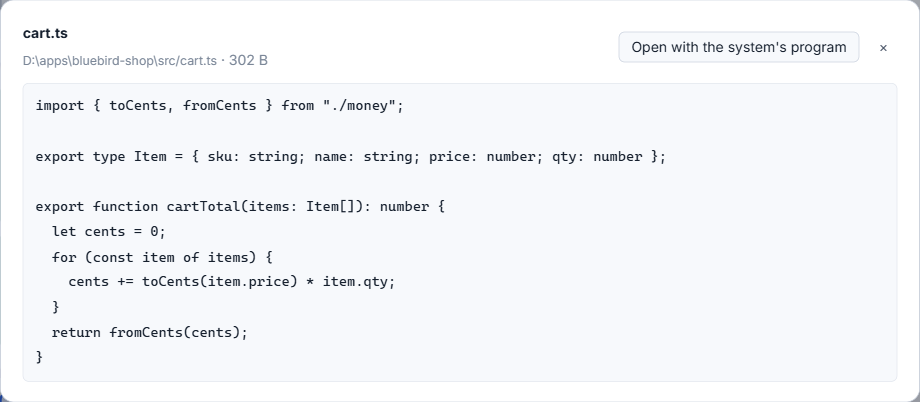
- A Markdown file is drawn as formatted text.
- Plain text, logs and JSON are shown as text.
- A picture is shown as a picture.
- A folder is listed with folders first. Click an entry to go into it, and Back to the folder above to come out. A session names a folder about as often as a file.
- Any other kind, a PDF for instance, says that it is not shown here and offers the system's own program.
Press Esc or the cross to close. The same window opens when you click a file in a step of the conversation (see watching a session work).
Two limits apply. The file must be inside a project of the studio or among the files you attached to prompts; a file anywhere else says "This file is outside the projects of the studio and is not shown." And a file larger than 12 MB is not shown. If the computer that holds the file is off or out of reach, the window says it does not answer now.
Open with the system's program
The button Open with the system's program hands the file to whatever Windows uses for that kind of file. A file from another computer is copied to a temporary folder of this PC first and opened from the copy.
Pictures a session shows
A Codex session can show pictures it made or found, for instance with code that displays an image. The studio reads such a picture from the session's own record and draws it under the message, in a group called "Pictures the session showed". Click one to see it larger; Esc closes it. The pictures stay outside the row that folds a finished turn, so they are not hidden with the steps.
To see which files a session wrote or changed, rather than which it mentioned, use what a session changed.
Small tips
Walk through a folder a session names
When an answer names a folder, the pane lists it. Click an entry to go in and Back to the folder above to come out.
Close the file pane with Esc
Escape closes the pane of a file or an enlarged picture, so you can go back to the conversation without the mouse.
Questions
Why does a file say it is outside the projects of the studio?
Only files inside a project of the studio, or among files you attached to prompts, are handed over. A file anywhere else is not shown.
Will Open with the system's program start a script?
No. Programs and scripts, and files with no ending, are only shown in their folder, never started.