
Watching a session work
See what a session did, what it is doing now, and whether a quiet one is busy or stuck.
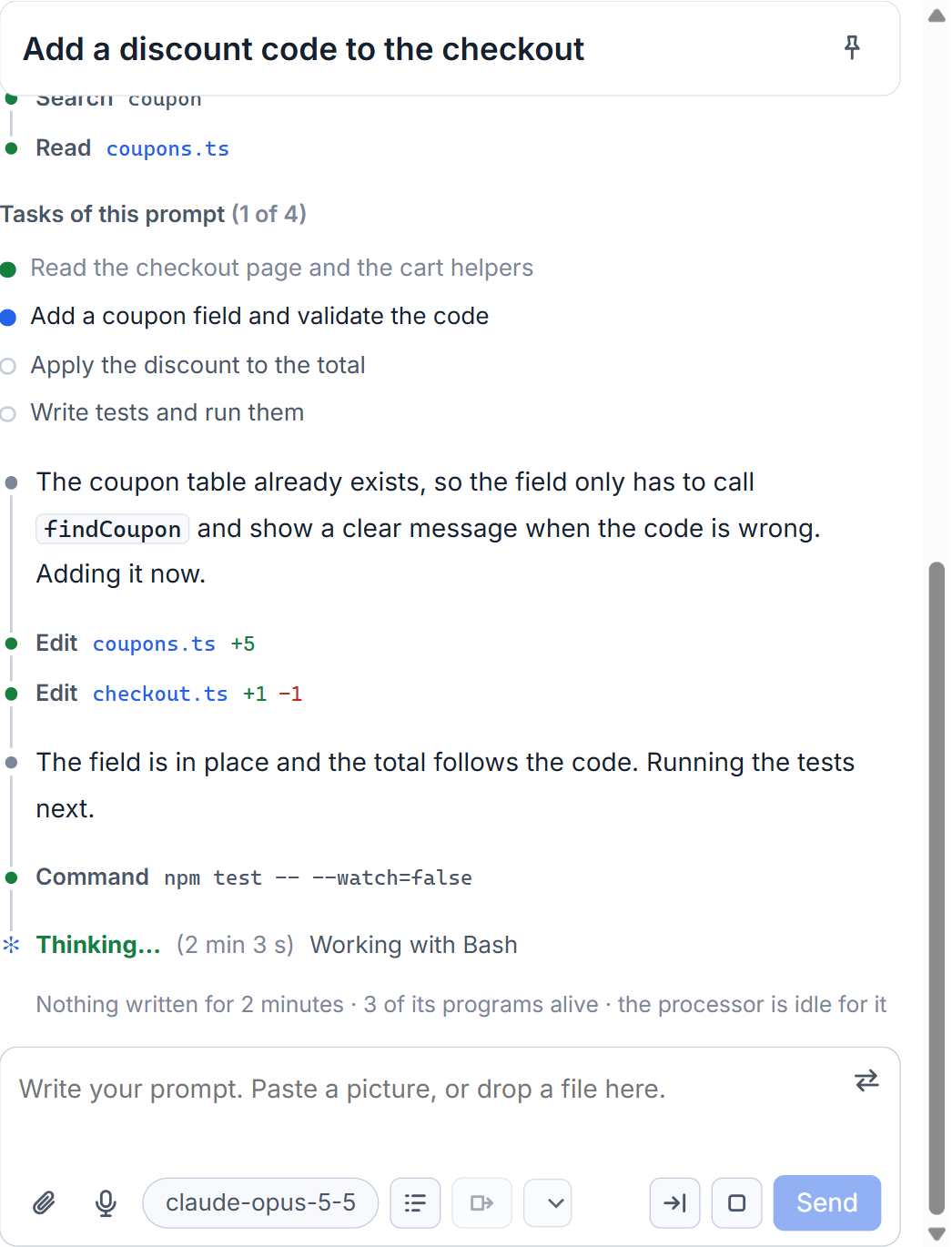
While a session works, the conversation shows more than its words. Every tool it uses is drawn between the paragraphs, in the order it happened, so you can see that a file was edited or a command run without opening anything. This works the same for Claude Code and Codex.
Your prompt is drawn the moment you send it, and the session moves to Working in the list of sessions.
Steps between the paragraphs
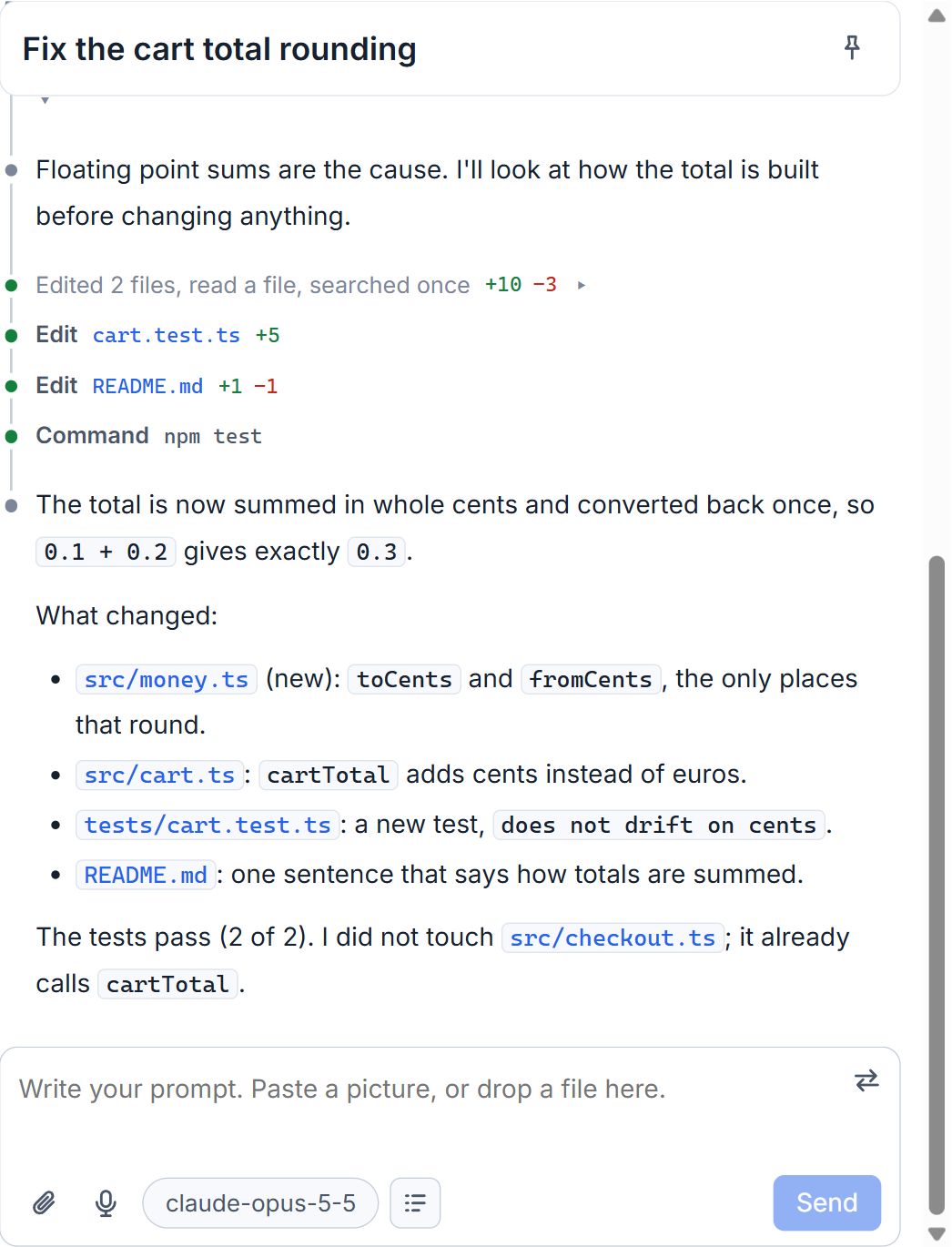
What a session did with its tools is one row each: what it did, on what, and for an edit the lines added and removed. After a turn, rows of the same kind are counted together, in words like "Edited 2 files, ran a command +11 -4". While the session is still at it, a row says what it does now: "Editing", "Running", "Reading", "Searching".
The dot at the left of a row carries its state. Grey is for words and thoughts, green for a call that came back, red for one that failed, and the call in hand beats in the accent colour. A run of more than six calls shows only its last three; the rest wait behind one row that opens.
When the final answer is there, everything the session said and did on the way to it folds behind one row, such as "1 message along the way · Edited 2 files, ran a command". Click it to open the turn again.
Open a step
Click a row and you see the full input and result of each call: the command and its output, the file and its change, the address that was fetched. Opening a step only shows what was recorded. It does not run anything again. A file that was read or edited opens in a pane of the studio when you click its name.
Thinking and "Thought for 3 s"
For Claude Code, the line says Thinking, with the tokens of the thought so far, while the model thinks. When the thought ends it becomes a row such as "Thought for 3 s", with the tokens it took. A thought under one second gets no row. Only the length and the token count are known; what the model thought is not sent. Codex and Grok get no such rows.
A thought is known only from a run the studio saw. A session that ran outside the studio, or before this was built, has no thought rows.
How long it has been working
When a session goes quiet, a line at the end of the conversation says so: "Nothing written for 40 seconds", with the tool Claude Code says is still at work. After a minute it adds how many of the session's programs are alive and how much of one processor core they use. That is how you tell a long command from a stuck session without opening a terminal. When the turn ends, the line becomes "Worked for 1 min 2 s". While it works you will also see a changing word such as Weighing, with seconds.
The task list under each prompt
Under a prompt, the tasks the session made for it are shown with ticks, headed "Tasks of this prompt" with a count like 2 of 5. A task that had begun when the turn ended is marked as left unfinished. The list is Claude Code's; the setting Task list of each prompt under How sessions work in Settings turns it off for sessions started afterwards.
Follow mode
An opened session stands at its last turn and follows new text as it comes. Following stops only when you move up yourself, with the wheel, the scroll bar or the arrow keys, and not when the page redraws. A ↓ button then brings you back to the end.
A Codex session started from the studio streams its output while it works, with its reasoning summaries and the "Worked for" line. To see what a session changed after it finishes, go to what a session changed; to see which sessions need you, see session states.
Small tips
Click a file name in a step to read the file
A row that read or edited a file has its name as a link. One click opens that file in a pane of the studio, so you do not need to find it in an editor.
Turn the task list off for a quieter page
Settings, How sessions work, Task list of each prompt. Off means no list under prompts of sessions you start afterwards.
Questions
How can I tell a long command from a stuck session?
A quiet session shows how long nothing was written, which tool is still at work, and after a minute how many of its programs are alive and how busy the processor is for them.
Does opening a step run the command again?
No. A step shows what was recorded: its input and its result. Nothing is run when you open it.