
Grok in the studio
Grok sessions are read and run from the studio, and every tool call goes through the same permission modes as Claude Code and Codex.
Partly built. Grok sessions are read and run from the studio, and every tool call is judged by your permission mode. The studio shows no limit percent for Grok, and Grok's own usage limit has not been seen happening yet, so nothing is promised there.
Grok is the third tool of the studio, beside Claude Code and Codex. Its sessions appear in the same projects and the same waiting column, you start and continue them from the same box, and when Grok wants to run a command or change a file it asks the studio first. This page says what that covers today and where it stops.
What works
- Reading. Sessions that Grok keeps on the computer are listed with their title, model, effort and how full the context is, including sessions you began in a terminal.
- Running. The studio starts one
grok agentprogram for each open session and keeps it between turns. The answer streams in as Grok writes it, and a stopped turn ends at once. The model and the effort change while the session runs. - Setup. The setup page offers xAI's own installer, on your yes, and Grok's own
grok loginopens in a window of its own. The studio finds out whether someone is signed in from the first line ofgrok modelsand never reads Grok's token file. - Accounts and carrying. Grok can have several accounts. A Grok session goes with its project when you carry the project to another computer.
- Usage. Each turn is counted in the studio's ledger from Grok's own files. Its value is the cost Grok itself reports at xAI's prices, and it is taken from your subscription.
Start a Grok session
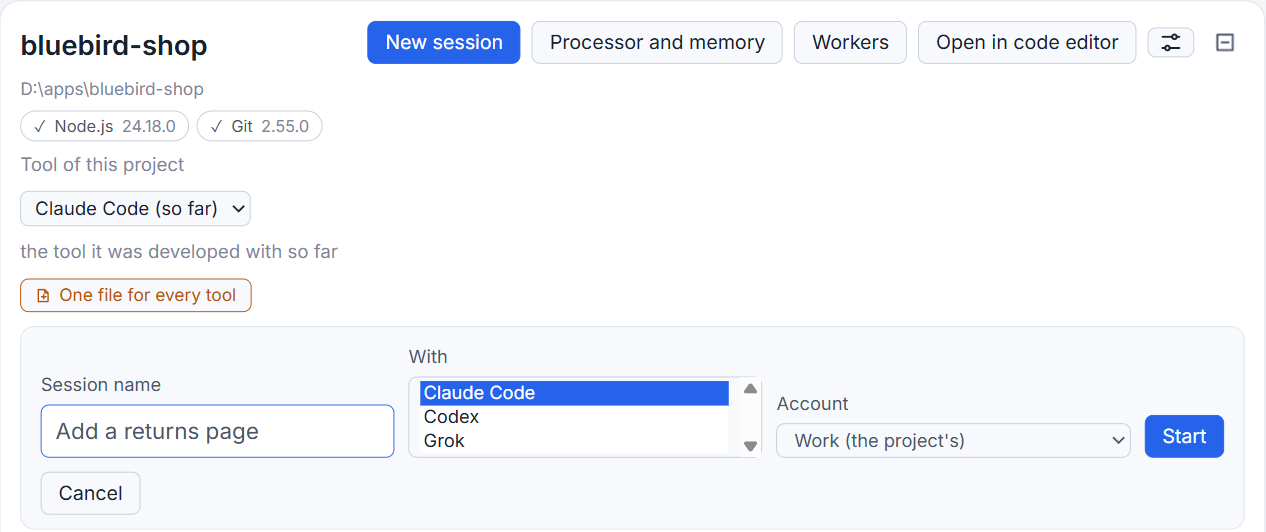
- Click New session in a project.
- Type a name.
- Open the list under With and choose Grok. The list shows only the tools installed on that computer.
- Click Start.
The prompt box lists Grok's models and efforts, asked of Grok itself. Typing / lists Grok's commands. The full list, which includes any skills of yours, arrives once a session is open, so a command such as /context may show nothing in the studio while it works in Grok's own window.
How it asks before it acts
Grok normally asks only in its own "ask" mode, and it also reads Claude Code's settings on the same computer, which may put it in an always-approve mode. To make the studio the one decider, every Grok session is given a small plugin whose hook answers "ask" before each use of a tool. The question then reaches the studio, which puts the call in its permission group and answers by your mode, or shows you a card. Also for similar cases writes a rule into the project's settings file, as it does for Claude Code.
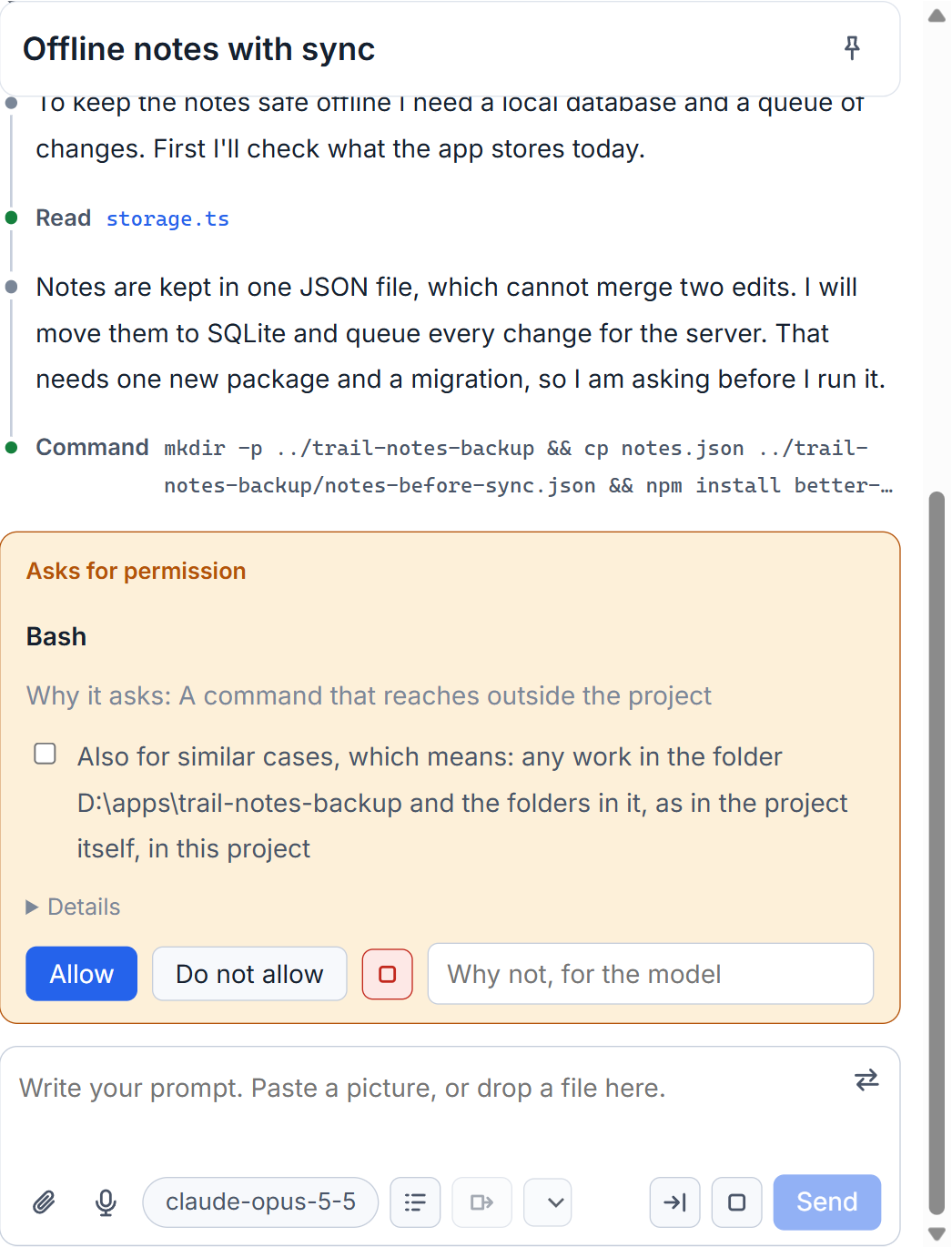
When you refuse a step, Grok ends that turn and the session stays. Write your next message to tell it what to do instead.
What it does not have
- No plan mode sign in the box.
- No percent of a limit in the title bar, and no automatic continuing when a limit is reached. Grok's own limit has not been seen happening, so the studio shows none.
- Grok loads a project's
CLAUDE.mdandAGENTS.mdonly in a folder it was told to trust. The studio cannot know that for every folder, so it tells each Grok session where the files are. See Shared project rules.
Small tips
Know that a refusal ends Grok's turn
When you refuse a step in a Grok session, Grok ends that turn and the session stays open. Write your next message to say what it should do instead.
Open the session before you ask for Grok's commands
Before a session is open Grok names only a few of its own commands. The full list, with your own skills, arrives once the session is open.
Questions
Does the studio show my Grok usage limit?
No. There is no limit percent for Grok in the title bar, and the studio has not seen Grok's own limit happen, so it makes no promise about it.
Can a Grok session run without asking me?
Only as far as your permission mode allows. Every Grok session gets a hook that makes Grok ask the studio before each use of a tool, even if Claude Code's own settings would approve everything.