
Claude Code, Codex and Grok in one studio
Sessions of all three tools share one list, one waiting column and one permission system, and each runs through its own official program.
Claude Code, Codex and Grok sit in one list in AigoPilot. A project can hold sessions of all three, they stand in the same columns, and the questions they ask you arrive in the same place. Each session still runs through the tool's own official program, signed in with your own subscription, so nothing about the tools themselves is replaced.
This matters when you pay for more than one tool, or when one of them reaches its limit in the middle of a day and you want to keep working in another without opening a second window.
What runs behind a session
The studio starts the programs the providers publish: Claude Code, Codex and Grok. It does not hold a login of its own and it never reads or stores the token a tool keeps. Signing in happens in the tool's own window, and the studio only asks the tool who is signed in. If a tool is missing on a computer, the setup page installs it with the provider's own installer, and only after you say yes (see First-run setup).
Because the real programs run, your own settings, skills and extension servers of each tool apply to the sessions the studio starts, as they do in a terminal. The studio adds one thing on top: before a session changes a file or runs a command, the request comes to the studio, which judges it by your permission mode. That holds for all three tools.
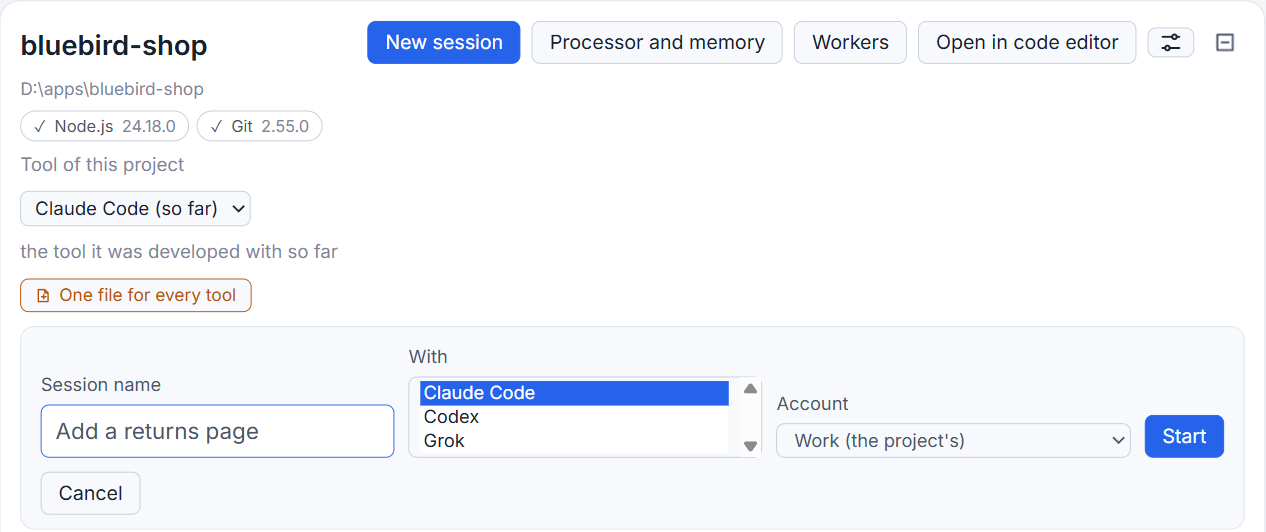
Start a session with the tool you want
- Open a project in the left column.
- Click New session.
- Type a name. A session cannot start without one.
- If the computer has more than one tool, open the list under With and choose Claude Code, Codex or Grok.
- Click Start.
The list under With shows only the tools found on that computer, and the first of them is chosen. Someone who has only Codex is never handed Claude Code by default. When the project already has a tool of its own, the form begins with that one; Move a project to another AI explains how that choice is made.
What differs between the three
The studio treats the tools alike wherever it can, but some things belong to one tool only.
| Thing | Claude Code | Codex | Grok |
|---|---|---|---|
| How the studio talks to it | Its stream mode | codex app-server | grok agent over its agent protocol |
| Plan mode sign in the box | Yes | No | No |
| Commands after typing / | Yes | No | Yes |
| Percent of the limit in the title bar | Yes | Yes | No |
| Fast speed choice | No | Yes | No |
Models and efforts come from the tool itself on that computer, not from a list the studio keeps. Details of the two newer tools are in Codex in the studio and Grok in the studio.
One list for every state
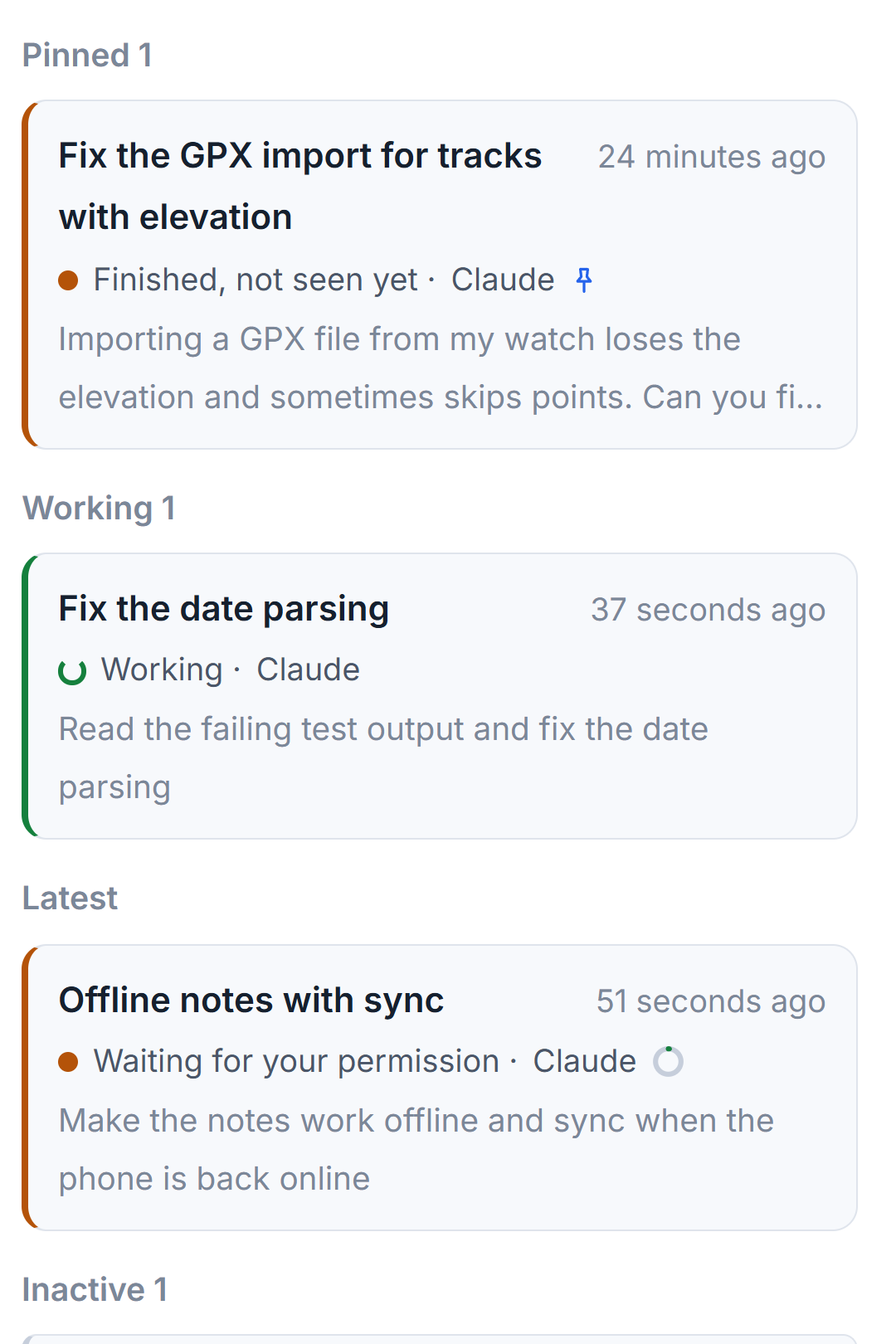
Each row of a session names its state and its tool, so a Codex session that waits for your answer looks the same as a Claude Code one that waits, apart from the tool name. Sessions that you began outside the studio, in VS Code, in a terminal or in the Codex app, are listed too and marked as belonging to that program. The studio does not continue them until you press its button to bring them in.
If you pay for several subscriptions of one tool, each can be a separate account (see Using several subscriptions for one tool).
Small tips
Choose Codex's speed on purpose
In a Codex session the model picker has a speed choice. Fast answers sooner and uses your plan's allowance about 2.5 times as quickly. The model and the answers are the same, and the choice takes effect from the next prompt.
Type a slash to list a tool's own commands
In a Claude Code or a Grok session, typing a slash in the box lists the commands of that tool for the project. Codex sessions do not offer this list.
Read the tool in each session row
Each row names the state of the session and its tool, so sessions of Claude Code, Codex and Grok in one project sit in one list and can be told apart at a glance.
Questions
Does AigoPilot use my own Claude, Codex and Grok subscriptions?
Yes. Each tool runs through its own official program, signed in with your own account. The studio asks the tool who is signed in and never reads or stores the token the tool keeps.
Why does the New session form not offer Claude Code on my computer?
The list under With shows only the tools found on that computer. If one is missing, the setup page can install it, after you say yes.