
How a project's sessions are ordered
What is working and what waits for you come first, then the session you just used, then the pinned ones.
When you open a project, its sessions stand in groups, and the order of the groups follows what you are likely to want next: what is running, then what is held up waiting for you, then the session you were just working in. Pinned sessions come after those. A session you just gave work to is at the top, never under a stack of old pinned ones.
The iPhone app, which is not out yet, lays out a project's sessions in the same order.
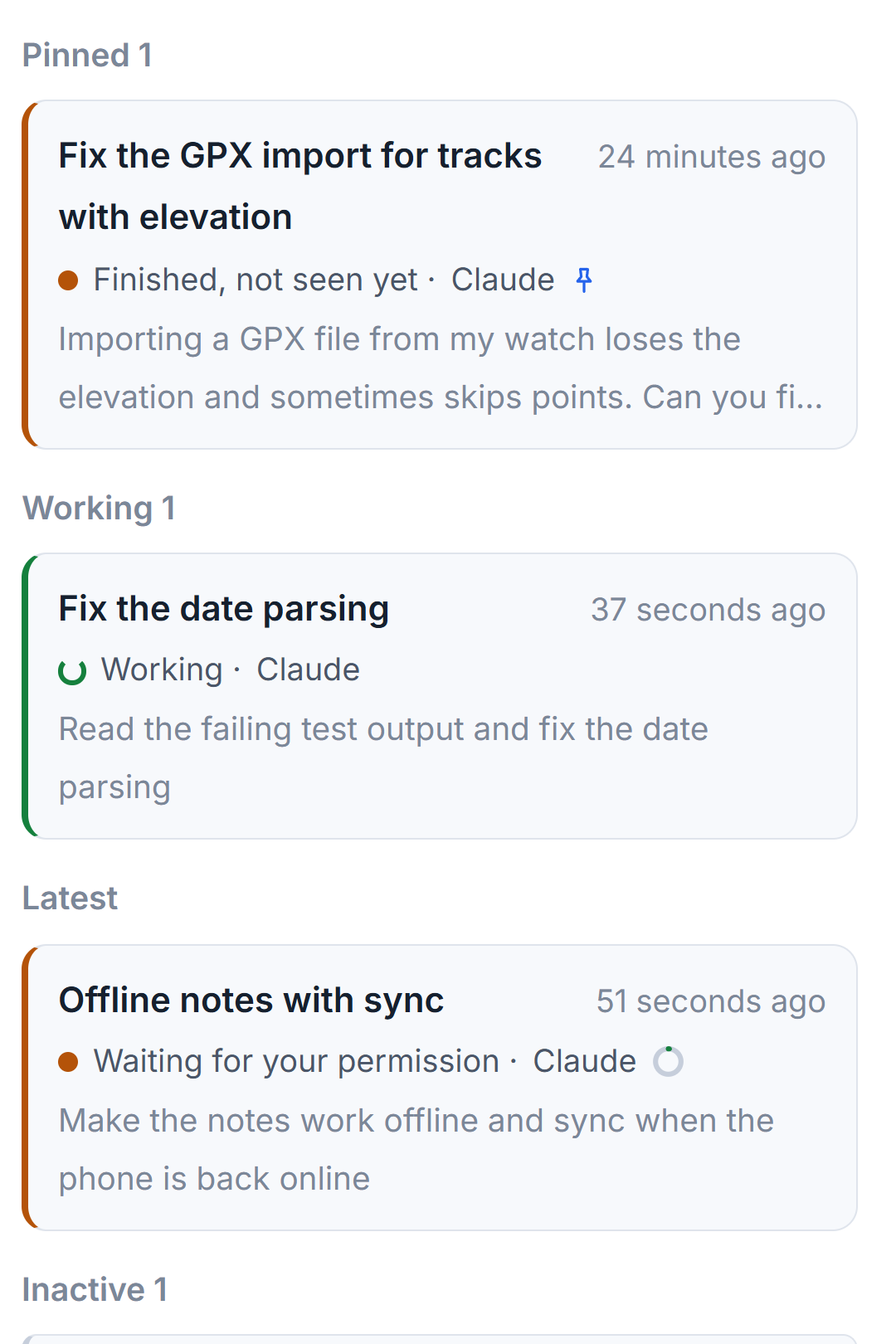
The groups, from the top
- Working: sessions busy with a turn right now.
- Waiting for you: sessions that stopped to ask you something. A permission comes first, because the work is held in the middle of a step, then a question the session needs answered to go on. In each, pinned sessions first, then the newest.
- Latest: one session, the one you worked with last among those not shown above, whatever it did since. It is the session you come back to after a break. A pinned session you worked in last stays under Pinned instead.
- Pinned: the sessions you pinned, newest first.
- Started by programs: runs of scripts and tools that you chose to see, each with a robot. See Sessions started by programs.
- Earlier: everything else, the newest first.
- The line of archived sessions, folded at the foot.
A group with nothing in it does not show. A pinned session, or one started by a program, that is working or waiting stands in that higher group, with its pin or its robot beside the name. It is never listed twice.
What counts as waiting
Only a session the tool itself recorded as stopped to ask counts: a permission request, a question form, a plan waiting for your yes, or a tool call that has been quiet far too long. A turn that ended is never waiting, even when its last sentence is "Shall I also update the tests?". Such a session shows Finished, not seen yet on its row until you open it, and stands in Latest or Earlier.
The same definition is used everywhere: the Waiting for you column, the counts on the project cards and in the top bar, the notices of the computer and the phone, and the reminder that rings the phone again while a permission waits. A finished session is told as finished, never as waiting.
Where the other states go
A session that stopped midway, or reached its usage limit, does not need an answer from you, so it is not in Waiting for you. It stays where its time puts it, in Latest or Earlier, and its state is written on its row with a red dot or an amber ring. The nine session states lists them all. A session that stopped on an error may be continued by the studio by itself; see Continue after an error.
Changing what stands where
- Pin a session to keep it near the top when it is quiet. Unpin it to let it fall back into Earlier. See Rename, pin and archive sessions.
- Archive a session you are done with to move it under the folded line.
- Type in Find a session by name above the list to keep only the sessions whose name matches. The groups stay as they are. See Find a session or a project by name.
Big rows, with the last prompt under the state, are used for the first four groups; Started by programs and Earlier use small rows, so a long project still fits on the screen.
Small tips
Find your last session after a break under Latest
Latest always holds one session: the one you worked with last that is not working, waiting or pinned. After lunch, it is the row to click.
Questions
Why is a finished session not in Waiting for you?
Only a session that stopped to ask you something waits: a permission or a question the tool recorded. A turn that ended shows Finished, not seen yet on its row until you open it.
Why did my pinned session move below others?
Pinned sessions now stand under what is working, what waits for you and the session you used last. A pinned session that works or waits rises into that group with its pin.